Best Free Data Recovery Software in 2026: What Actually Gets Your Files Back
The panic after an accidental delete or a drive that suddenly stops showing up in File Explorer is real, and the first instinct is usually to grab whatever recovery tool shows up first in a search. That's a mistake — installing the wrong thing on the wrong drive can overwrite the very data you're trying to save. Here's how the free tiers of Disk Drill, EaseUS, Stellar, R-Studio, and DMDE actually differ, and which one fits the situation you're in.
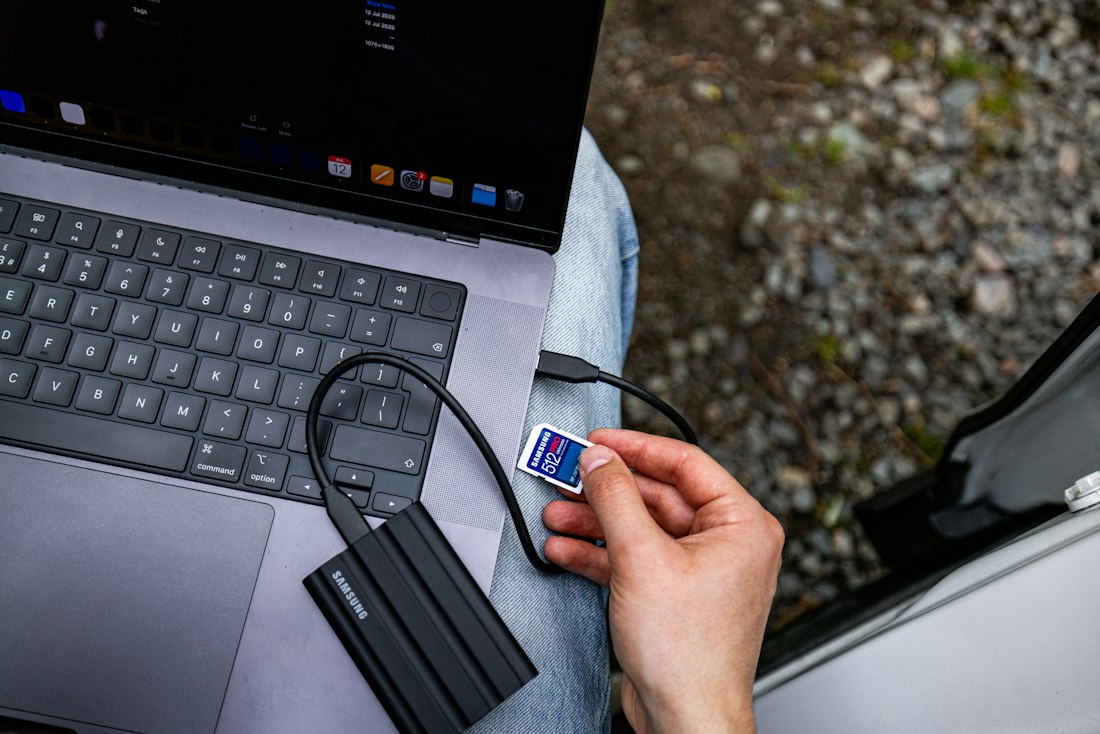
Free recovery tools scan for file fragments the operating system has marked deleted but hasn't actually erased yet.
Disk Drill Is the Safest Default Pick
If you just deleted something and want one recommendation without overthinking it: Disk Drill. It covers hundreds of file types across photos, documents, video, and audio, works on both Windows and Mac, and its scanning engine reliably finds recoverable files on hard drives, SSDs, USB sticks, and memory cards. The interface stays approachable even if you've never used a recovery tool before, and it previews files before you commit to restoring them, so you're not guessing whether the scan actually worked.
The tradeoff is capacity — Disk Drill's free tier caps out around 500MB of actual recovered data, which is plenty for a folder of documents or a handful of photos but tight if you're trying to pull back a video file or a full project folder. If raw free capacity matters more than polish, EaseUS gives Windows users up to 2GB free, and Stellar splits the difference with a 1GB cap that works identically on Mac and Windows.
How the Top Five Free Tiers Actually Compare
| Tool | Free Limit | Best For | Platforms |
|---|---|---|---|
| Disk Drill | ~500MB | Most people, broad file-type support | Windows, Mac |
| EaseUS Data Recovery Wizard | 2GB (Windows) / preview only (Mac) | Largest free capacity on Windows | Windows, Mac |
| Stellar Data Recovery | 1GB | Equal free capacity across platforms | Windows, Mac |
| R-Studio | Preview + limited free recovery | IT pros, RAID and NAS recovery | Windows, Mac, Linux |
| DMDE | Free, capped at 4,000 files/folder | Technical users comfortable with a denser UI | Windows, Mac, Linux |
Free-tier limits and supported file counts change as vendors update their pricing pages — check each provider's site for the current numbers before you commit to one.
Pick Based on What Actually Happened

The right tool depends less on brand reputation and more on what kind of storage failed and how much data you need back.
Disk Drill or EaseUS
Both scan quickly for recently deleted files and preview them before recovery. Disk Drill's interface is friendlier for a one-off panic recovery; EaseUS gives more free headroom if the deleted files add up to more than 500MB.
Stellar Data Recovery
Stellar's deep-scan mode is built specifically for drives that have been formatted or show corruption errors, and its 1GB free cap applies equally whether you're on Windows or Mac.
R-Studio
Built for IT professionals working across RAID arrays and network-attached storage. The interface is less forgiving, but the recovery logic handles complex, multi-disk setups that consumer tools weren't designed for.
DMDE
Genuinely free with no dollar cap, just a 4,000-files-per-folder limit that forces you to repeat large recoveries in batches. The interface is dense and unapologetically technical, which power users tend to prefer.
Do This First, or Risk Losing the Files for Good
- Stop using the affected drive immediately — every new file written to it risks overwriting the deleted data
- Install the recovery tool on a different drive or a USB stick, never on the drive you're recovering from
- Run a preview scan first and confirm the files are actually recoverable before paying for anything
- Recover files to a separate drive, not back onto the original one
- Installing recovery software directly onto the drive that lost the files
- Continuing to browse, download, or save new files on the affected drive while you decide what to do
- Assuming a "quick format" wiped the data — it usually just removed the index, not the data itself
- Paying for a "guaranteed" recovery service before trying a reputable free scan yourself
Frequently Asked Questions
What is the best free data recovery software in 2026?
Disk Drill is the most well-rounded free pick for most people — it covers hundreds of file types across Windows, Mac, and external drives with a beginner-friendly interface, though its free recovery cap sits around 500MB. If you specifically need more free capacity on Windows, EaseUS Data Recovery Wizard Free allows up to 2GB before you have to pay.
Can I really recover permanently deleted files for free?
Often yes, as long as the deleted file's space on the disk hasn't been overwritten by new data yet. Free recovery tools scan the drive for leftover file fragments that the operating system has marked as deleted but not yet erased. The catch is a capacity limit — most free tiers cap you at 500MB to 2GB of actual recovered data, so large video files or full folders may push you past the free ceiling.
Why do these programs say to install them on a different drive?
Because installing new software writes new files to your disk, and those new files can physically overwrite the empty space where your deleted file's data is still sitting, making it unrecoverable. The safest move is to install and run recovery software from a USB drive or a completely separate computer, and to stop using the affected drive for anything else until the scan is done.
More Software Guides, Written Clearly
Browse our full library of software and productivity explainers, updated as tools and pricing change.
More from the creator
Explore two other projects from the same creator.