Best Free QR Code Generators in 2026: Tested and Compared
A QR code that stops working two weeks after you've printed it on 500 flyers is worse than not having one at all. That's the single most common complaint in this category, and it happens because most "free" QR code generators are quietly free trials of a dynamic, trackable code, not a permanent one. Here's how to tell the difference before you print anything, and which tools actually deliver on free.
Static vs. Dynamic: The Distinction That Actually Matters
Every QR code generator, free or paid, falls into one of two categories, and understanding which one you're using is more important than any feature comparison. A static QR code has its destination baked directly into the black-and-white pattern. It's permanent, works with no internet connection required on the generator's side, and can't be changed after you've printed it. Perfect for a business card, packaging, or anything with a stable, unchanging link.
A dynamic QR code instead points to a short redirect URL that the provider hosts. That lets you change the destination anytime without reprinting, and gives you scan analytics, location, device type, time of scan. The catch, and it's a significant one, is that the code only keeps working as long as the provider's redirect server stays active. No major platform offers a genuinely permanent free dynamic plan, because hosting that redirect indefinitely costs the provider money.
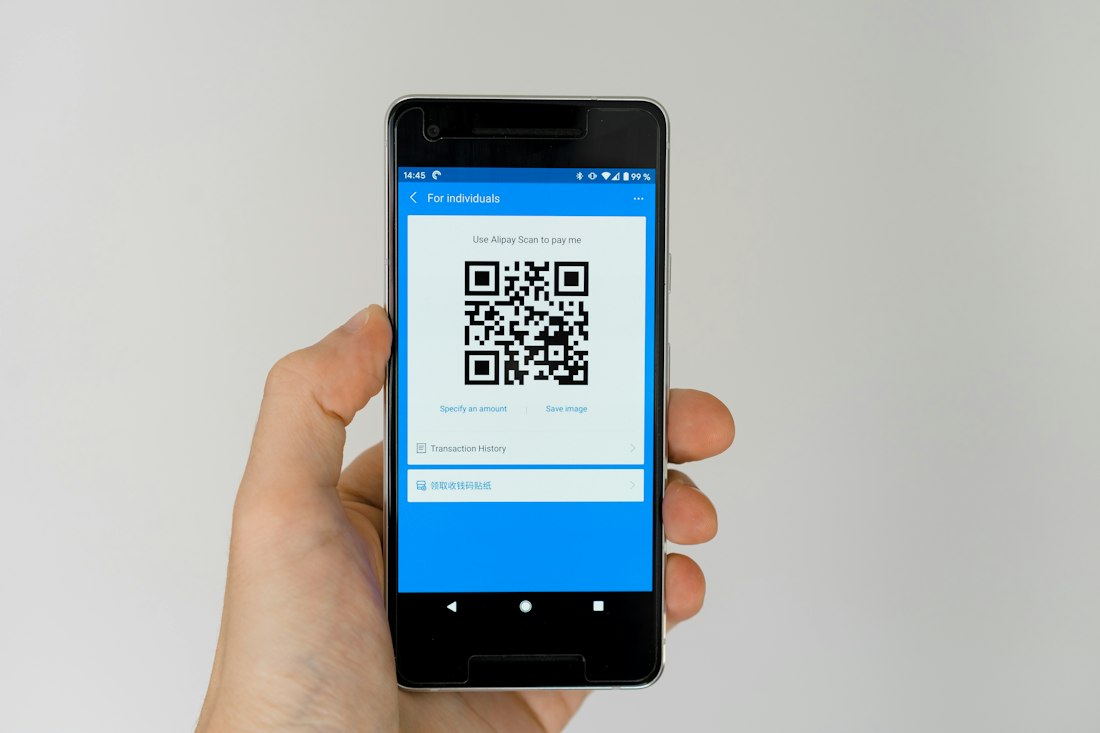
Static codes are permanent by design; dynamic codes trade that permanence for editability and tracking, usually behind a paid plan eventually.
The Tools Worth Actually Using
QR Code Monkey
Unlimited free static codes with no account required, solid design customization, and EPS/PDF export for professional printing. One of the most consistently recommended free static generators across independent reviews, though it does show banner ads.
Canva
Generates QR codes directly inside designs you're already building, useful if you're creating a flyer or menu and want the code embedded without switching tools. Genuinely free and permanent for static codes.
Adobe Express
Similar to Canva: free, no sign-up required for basic static codes, and integrated into a broader design workflow. A reasonable default if you're already using Adobe's tools for the surrounding material.
GoQR.me
One of the original free static QR generators, bare-bones but reliable, with no account and no expiration on the codes it produces.
QRCodeKIT
Notable for offering a genuine free dynamic plan, two dynamic codes forever, 100 scans per code per month, no ads, no expiry, which is unusually generous for a dynamic (trackable, editable) tier at no cost.
QR Tiger
A more full-featured platform with the most mature API in the category, strong for developers who need batch generation. The free tier is more of a trial for dynamic features, with unlimited dynamic codes and API access reserved for the paid Premium plan.

For anything printed once and left alone, packaging, business cards, permanent signage, a static code avoids the expiration trap entirely.

Scan analytics only matter if you're actually going to act on the data — for a one-off use, the tracking adds cost without adding value.
Which Type You Actually Need
Printing something permanent, once
Go static. Business cards, product packaging, a sign with a stable URL. QR Code Monkey, Canva, or GoQR.me all handle this for free, forever, with no risk of the code silently breaking later.
Running a marketing campaign you'll want to track
Go dynamic, and budget for it. If you genuinely need to know how many people scanned a flyer or update the destination without reprinting, accept that a reliable dynamic plan is a paid feature in nearly every serious platform.
Testing the idea before committing to print
Use a free dynamic trial, but treat it as exactly that, a trial. Don't print materials meant to last more than the trial window (commonly 7 to 30 days) around a free dynamic code unless the provider explicitly states it doesn't expire.
Already designing in Canva or Adobe Express
Use the built-in QR generator rather than adding a separate tool. It's free, permanent for static codes, and saves a step in your existing workflow.
Pros and Cons of Free QR Code Generators
- Genuinely permanent, free static codes are widely available with no real catch
- No technical skill required, most tools generate a usable code in under a minute
- Design customization (colors, logos) is available even on free static plans
- A handful of tools now offer real, non-expiring free dynamic tiers, if limited
- Free dynamic codes commonly expire after 7 to 30 days, breaking printed material silently
- Scan analytics and editable destinations are almost always paid features
- Some free tools inject ads into the redirect page on dynamic codes
- A handful of "free" tools require sign-up or hide the download behind a paywall
Free vs. Paid Across the Category
| Tool | Free Plan | Entry Paid Plan |
|---|---|---|
| QR Code Monkey Best Static | Unlimited static codes, EPS/PDF export, no account | N/A for static; primarily a free tool |
| Canva / Adobe Express | Unlimited static codes within design workflow | From ~$13/month (Canva Pro) for broader design features |
| QRCodeKIT | 2 dynamic codes forever, 100 scans/code/month, no ads | Higher tiers for more codes and scan volume |
| QR Tiger Trial Only | Limited-time dynamic trial | ~$37/month (annual) for unlimited dynamic codes and API |
| Bitly | Basic free QR/link shortening | From ~$19/month for full dynamic QR analytics |
Pricing and free-tier terms shift often in this category — confirm current expiration policies on each provider's site before printing anything at scale.
Two More Worth a Look
Uniqode
Built for enterprise campaigns needing compliance certifications and deeper API integrations. Overkill for a single static code, but worth a look if you're generating QR codes programmatically at volume.
Microsoft Edge
If you're on Edge, right-clicking any webpage generates a QR code for it instantly with zero setup, a genuinely free, permanent, no-account option for the simplest possible use case.
Which Free QR Code Generator Should You Actually Use?
QR Code Monkey for static. QRCodeKIT if you genuinely need tracking.
For the large majority of use cases, business cards, packaging, a flyer with a stable link, QR Code Monkey's free static generator is the safest, simplest choice: no account, no expiration risk, and solid customization for a code that needs to look professional. There's no reason to overcomplicate a one-time static code with a dynamic tool.
If you genuinely need scan tracking or the ability to change a destination after printing, QRCodeKIT's free dynamic tier is the rare option that doesn't quietly expire, though the scan cap means it's best suited to smaller campaigns rather than high-traffic marketing pushes.
as our top recommendation for most static use cases in 2026
Ready to Generate a Code?
For anything permanent, start with a static generator below. It takes under a minute and there's no expiration to worry about later.
More From AI Help Guide
How to Use Canva for Beginners • Best Free Appointment Scheduling Software • Best Free Email Marketing Software
QRCodeKIT — Best QR Code Generators (2026): Tested and Compared • qrcodekit.com
PDF Generator API — Top 10 Free QR Code Generators in 2026 • pdfgeneratorapi.com
QRForever — 7 Best Free QR Code Generators That Don't Expire (2026) • qrforever.com
EZQR — Best Free Online QR Code Generators & Apps 2026, Tested • ez-qr.com
Jotform — The 6 Best Free QR Code Generators in 2026 • jotform.com
More from the creator
Explore two other projects from the same creator.