How AI Assistants Are Becoming Part of the Operating System
A few years ago, an AI assistant on your phone was a separate app you opened on purpose, asked a question, and closed. That model is quietly disappearing. Gemini and Siri are increasingly built directly into the taskbar, the camera, the messaging app, and even the file system itself, rather than continuing to live in their own separate, dedicated window. Here's what that shift actually looks like right now, in practice, using recent Windows and Android changes as concrete, current examples.

AI assistants are increasingly woven directly into system-level surfaces rather than living in their own separate app.
AI as a Destination You Visit
For most of the last decade, interacting with an AI assistant meant opening a specific app or triggering an overlay, asking your question, getting an answer, and closing it — a self-contained, tightly bounded interaction that didn't really touch or affect much else on the rest of your device. Early versions of Google Assistant, Siri, and Cortana all followed this exact pattern: genuinely useful, but clearly separate from the rest of the operating system, more like a tool you deliberately picked up and put back down again than something actually woven into how the device fundamentally worked underneath.
What's Actually Changed Recently
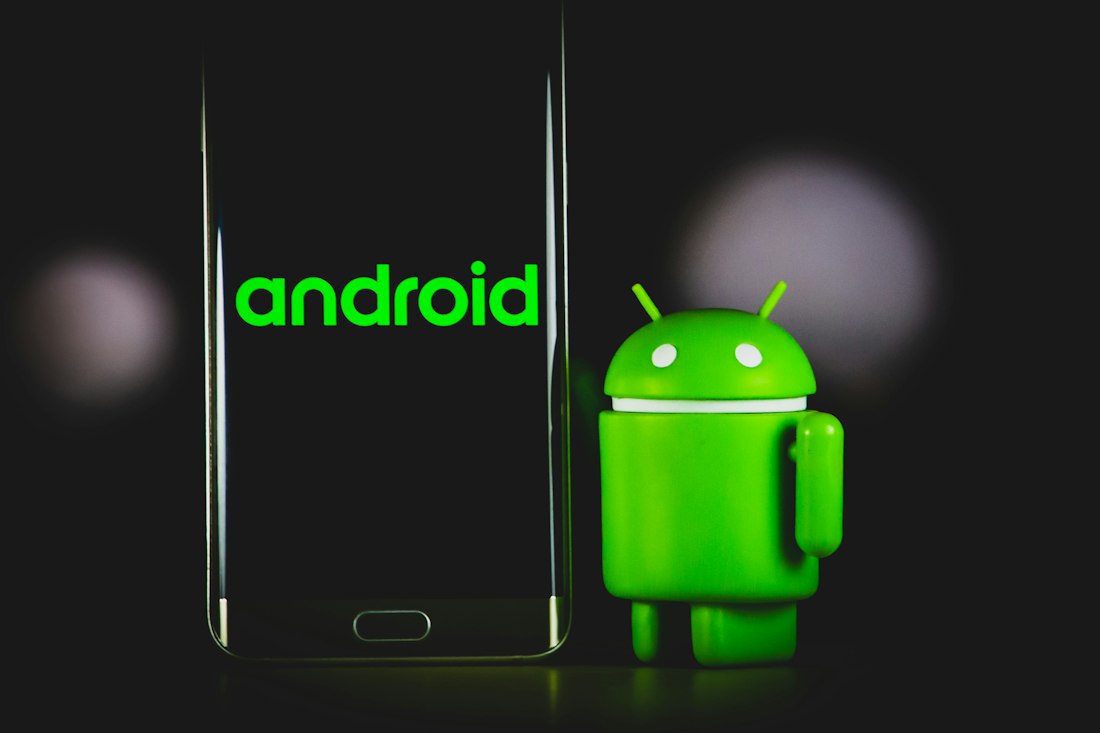
Recent examples show AI extending into cameras, file-finding tools, and multitasking surfaces rather than staying in a single chat window.
| Example | Old Model | New Model |
|---|---|---|
| Camera + AI | Take a photo, open a separate app, ask about it | Guided Vision: live, interactive description while pointing the camera |
| Finding items | Search an app or your memory | Find Hub + Gemini: describe an item's location once, ask later |
| Multitasking with AI | Wait for a response before doing anything else | Gemini bubble: conversation persists in the background |
| Messaging + lists | Switch to a separate notes app | Shared Keep lists live directly inside Messages |
In each case, the underlying pattern is essentially the same: AI capability moves out of its own separate, isolated window and directly into the specific tool or surface where the actual task was already naturally happening in the first place.
Copilot and System-Level Integration
Windows shows a genuinely parallel trend here too, even in features that aren't explicitly marketed or branded as AI at all. Administrator Protection, introduced in the September 2026 update, changes how elevation itself works at a fundamental system level rather than being a separate, bolt-on security tool you'd have to specifically open and configure on your own. More broadly, Copilot's integration across Windows has moved from a sidebar app toward touching search, file management, and settings more directly, following the same underlying pattern as Android's Gemini integration: less "open the assistant app first," and more "the assistant is already quietly part of the tool you happen to already be using."
The Reasoning Behind the Shift
This trend reflects a fairly straightforward observation from both companies: the friction of switching to a separate app was itself a major reason people didn't use AI assistants more often for smaller, everyday tasks. If asking even a quick, simple question requires opening a separate app, waiting for it to fully load, typing or speaking the question, and then manually closing it again afterward, that accumulated overhead discourages exactly the kind of small, frequent use case — quickly checking where you put something, getting a fast description of an object — that AI is often best suited for. Removing that overhead by building AI capability directly into the specific surface where the need naturally arises is a fairly direct, practical response to exactly that friction problem.
Where This Trend Likely Goes Next
If this pattern continues, expect noticeably fewer standalone "AI app" launches going forward and considerably more incremental AI capability quietly added to existing, already-familiar system tools — camera apps, file managers, settings menus, messaging apps — rather than entirely new destinations competing for a dedicated spot on your home screen. The practical implication for anyone trying to keep up with new features, echoing a point made in our broader roundup of features people miss, is that checking your existing apps' menus and settings periodically is genuinely likely to reveal more useful, practical additions over time than watching for the launch of some brand-new, separately branded AI app that gets its own dedicated home-screen icon.
What Gets Lost When AI Becomes Invisible
There's a real trade-off buried in this shift that's worth naming directly. When an AI assistant was a separate app you deliberately opened, it was always clear when you were interacting with it and when you weren't. As AI capability spreads into cameras, search bars, and messaging apps, that boundary blurs — a search that used to be a purely local lookup on your own device might now quietly involve a cloud-based AI model processing your query behind the scenes, without any dedicated app window or clear visual signal making that distinction obvious to you in the moment it happens. This isn't necessarily a bad thing on its own, but it does mean the practical, everyday skill of knowing when your data or a specific query is actually going somewhere beyond your own device becomes a genuinely more important thing to stay aware of, and a little less immediately obvious to the average person, as the interfaces themselves get smoother, faster, and more deeply integrated into everything else.
This Has Happened With Other Technologies Before
This general pattern — a new technology starting out as a distinct, deliberately visited destination before gradually dissolving into the invisible background of everyday tools — isn't remotely unique to AI, even though it can feel that way given how much attention AI specifically has received recently. Spell-check itself began as a separate feature you'd have to manually trigger in a word processor before it eventually became an invisible, always-on layer running quietly beneath your typing without any deliberate action on your part. Predictive text followed a broadly similar arc on phone keyboards, moving from a novel, toggleable feature to an assumed, invisible baseline most people never think about turning off. GPS navigation started as a dedicated standalone device or a separate app you specifically opened before it eventually became baked into ride-hailing apps, food delivery services, and countless other everyday tools that quietly use location data without presenting it as a distinct, separate "GPS app" experience at all. AI assistants appear to be following that exact same general trajectory, just compressed into a noticeably shorter timeframe given how quickly the underlying models and their capabilities have improved in recent years.
Frequently Asked Questions
Is this trend unique to Android and Windows, or is it happening everywhere?
It's a broader industry pattern -- iOS has moved in a similar direction with Apple Intelligence integrated into system features like Siri, Photos, and Mail, rather than confined to a single standalone assistant app.
Does this mean dedicated AI chat apps are going away?
Not necessarily. Standalone conversational AI apps still serve open-ended, longer-form use cases well. The shift described here is more about smaller, task-specific AI capabilities moving into the tools where those tasks already happen.
Is deeper OS integration always a good thing?
It genuinely depends on your priorities -- deeper integration usually means more convenience and less friction, but it can also mean less visibility into when and how AI processing is happening, which matters more to some people than others.
Has this kind of shift happened with other technologies before?
Yes -- spell-check, predictive text, and GPS navigation all followed a similar path from being distinct, deliberately-opened tools to becoming invisible, always-on layers baked into other everyday apps and services.
More Guides, Written Clearly
Browse our full library of software and troubleshooting explainers, updated as things change.
More from the creator
Explore two other projects from the same creator.