Best AI Coding Tools for JavaScript in 2026
JavaScript's biggest challenge isn't the language itself — it's the sheer sprawl of frameworks, build tools, and conventions layered on top of it. That's exactly the kind of complexity AI coding tools are good at cutting through. Here are the AI tools that handle JavaScript and its ecosystem best in 2026, and where each one specifically shines.
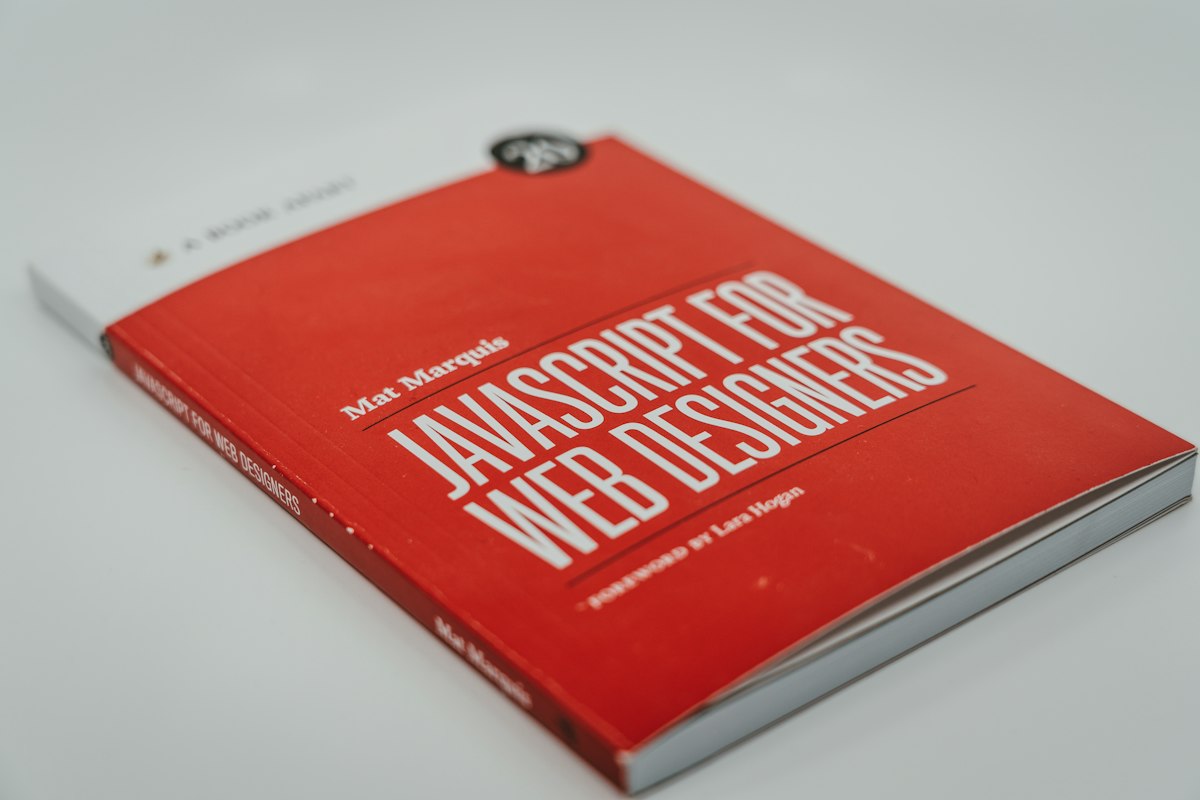
JavaScript's framework sprawl makes context-aware AI suggestions especially valuable compared to simpler, more uniform languages.
Why JavaScript Specifically Benefits From AI Help
A React developer, a Node backend engineer, and someone maintaining a legacy jQuery codebase are all technically writing "JavaScript," but their day-to-day problems barely overlap. AI coding tools that understand this sprawl — recognizing which framework's conventions apply, following a project's existing patterns rather than imposing generic ones — tend to outperform tools that treat JavaScript as one uniform language.
5 AI Tools Worth Using for JavaScript
v0 by Vercel
The most specialized option if you're working in React or Next.js specifically. It generates production-quality component code using shadcn/ui and Tailwind CSS, and understands modern React patterns — hooks, server components — better than more general-purpose tools.
Cursor
An AI-native editor that reads across your entire project rather than just the file you have open, which matters a lot in JavaScript given how often logic is split across multiple files and imported modules. Its chat panel is well suited to asking about how a specific hook or utility function is used elsewhere in a large codebase.
Claude Code
Best suited to larger, multi-step JavaScript work — migrating a codebase off a deprecated API, refactoring a state management pattern across many components — where the task needs to run autonomously across several files rather than one suggestion at a time.
GitHub Copilot
Still the most widely adopted inline assistant for JavaScript specifically, with broad framework familiarity built from a huge volume of public JavaScript and TypeScript code. A solid default for everyday completion work inside VS Code.
Windsurf (by Codeium)
A strong alternative AI-native editor to Cursor, with a similar chat-plus-inline-completion model and its own approach to understanding project-wide context, worth trying if Cursor's specific interaction style doesn't click for you.
What Changes Depending on Your Stack
React / Next.js
v0 is purpose-built for this stack specifically and tends to produce more idiomatic component code than general-purpose tools.
Node.js Backends
Cursor and Claude Code both handle backend JavaScript well, since neither is UI-generation-specific the way v0 is.
Large, Legacy Codebases
Claude Code's ability to work autonomously across many files matters more here than any single tool's raw code quality.
TypeScript Specifically
All the tools above handle TypeScript well, but Cursor and Copilot both benefit from a codebase with strict typing already in place, since type information sharpens their suggestions.
Bottom Line
For React and Next.js specifically, v0 is the most purpose-built option. For everything else — Node backends, legacy JavaScript, mixed-framework codebases — Cursor and Claude Code both handle the ecosystem's sprawl better than a narrower tool, with Copilot remaining a solid, widely adopted default for everyday inline completion regardless of which framework you're in.
How These Tools Often Get Combined in Practice
Few JavaScript developers rely on a single AI tool exclusively. A common pattern is using v0 to quickly generate a React component's initial structure, then pulling that code into Cursor or a Copilot-assisted editor to integrate it into the rest of the application, wire up state management, and connect it to a real backend. Claude Code tends to enter the picture specifically when a task grows beyond a single component or file — a broader refactor, a framework migration, or tracing a bug through several layers of the application.
This layered approach reflects a broader pattern across AI coding tools generally: rather than one tool doing everything, different tools tend to specialize in different stages of the same overall workflow, and knowing which one fits which stage is often more valuable than picking a single "best" tool and using it for everything.
The Short Version, All in One Place
To sum up: v0 by Vercel is the most specialized pick for React and Next.js specifically, while Cursor and Claude Code both handle the broader JavaScript ecosystem — Node backends, legacy codebases, multi-framework projects — better than a narrower tool. GitHub Copilot remains a dependable, widely adopted default for everyday inline completion regardless of framework, and Windsurf is a solid alternative to Cursor if its particular interaction style suits you better. Most experienced JavaScript developers end up combining two or three of these rather than relying on just one.
More AI Guides, Written Clearly
Browse our full library of AI tool guides, updated regularly as models and features change.
Common Questions
What's the best AI tool specifically for React development?
v0 by Vercel is the most purpose-built option for React and Next.js, generating idiomatic component code using shadcn/ui and Tailwind CSS rather than generic JavaScript suggestions.
Is GitHub Copilot still good for JavaScript in 2026?
Yes. It remains one of the most widely adopted inline AI coding assistants for JavaScript specifically, with broad framework familiarity, though newer AI-native editors like Cursor offer deeper project-wide context.
Which tool handles large JavaScript refactors best?
Claude Code is particularly well suited to large, multi-file JavaScript work like framework migrations or state management refactors, since it can work autonomously across many files rather than suggesting one change at a time.
Do I need a different AI tool for TypeScript versus plain JavaScript?
No single tool is TypeScript-exclusive among the options here, though having strict typing already in place tends to sharpen suggestions from tools like Cursor and Copilot, since the type information gives the AI more context.
Can I use multiple AI coding tools together on the same JavaScript project?
Yes, and it's a common pattern — many developers use a specialized tool like v0 for initial component generation and a broader tool like Cursor or Claude Code for integrating that code into the rest of the application.
Which AI tool is best for JavaScript testing and test generation?
GitHub Copilot and Cursor both handle generating unit tests reasonably well when given an existing function to test, though neither is specifically marketed as a testing-focused tool the way some standalone testing platforms are.
Is there an AI tool built specifically for Vue or Svelte instead of React?
Most AI coding tools, including Cursor and Copilot, handle Vue and Svelte reasonably well since they're trained on a broad range of JavaScript frameworks, though v0's specialization specifically targets React and Next.js rather than other frameworks.
Do AI coding tools understand modern JavaScript features like async/await well?
Yes, modern JavaScript syntax including async/await, ES modules, and recent language features are well represented in the training data behind tools like Copilot, Cursor, and Claude Code, so suggestions generally reflect current best practices.
How often should I update or switch AI coding tools as new versions release?
There's no fixed schedule, but since this field moves quickly, periodically checking whether a newer model version or competing tool has meaningfully improved is reasonable, particularly if you're using these tools daily for professional work.
Is Claude Code better than Cursor for JavaScript specifically, or just different?
They're built for somewhat different workflows rather than one being strictly better — Cursor is an interactive editor for ongoing, hands-on work, while Claude Code is built more for autonomous, longer-running tasks you hand off and check back on later.
Does the choice of AI tool matter less as JavaScript frameworks mature?
To some degree — as frameworks like React and Next.js stabilize and more training data accumulates, general-purpose tools tend to close the gap with specialized ones, though a purpose-built tool like v0 still tends to produce more idiomatic output for its specific framework.
More from the creator
Explore two other projects from the same creator.