What Are MCP Apps? How Claude and ChatGPT Became App Platforms
Before January 26, 2026, connecting Claude or ChatGPT to a tool like Asana got you a text summary of what happened. Now it can get you an actual project timeline you drag and edit, right inside the chat. MCP Apps is the open standard behind that shift — here's what it actually changed, and what you can do with it today without writing a line of code.
MCP Apps let a connected tool render a real interface inside the conversation instead of just returning text.
Tools Can Now Show You a Real Interface, Not Just Text
MCP Apps is an extension to the Model Context Protocol (MCP), the open standard Anthropic introduced in November 2024 for connecting AI assistants to outside tools and data. The original version of MCP let Claude or ChatGPT call a tool and get a text response back — useful, but limited to whatever could be described in words. MCP Apps changes that by letting a tool return an actual interactive interface, rendered directly inside the chat window.
On January 26, 2026, Anthropic and OpenAI announced support for MCP Apps simultaneously, alongside VS Code Insiders and the Goose agent. Within 48 hours, Figma, Asana, Slack, and a dozen other tools had shipped integrations. The practical result: instead of asking Claude to "summarize my Asana project" and reading a paragraph back, you can now open an actual editable project timeline inside the conversation, adjust dates, and see the changes reflected immediately — no switching to a browser tab.
From Plugins to Live Interfaces

Asana's MCP App turns a chat request into an editable timeline, not just a written summary.

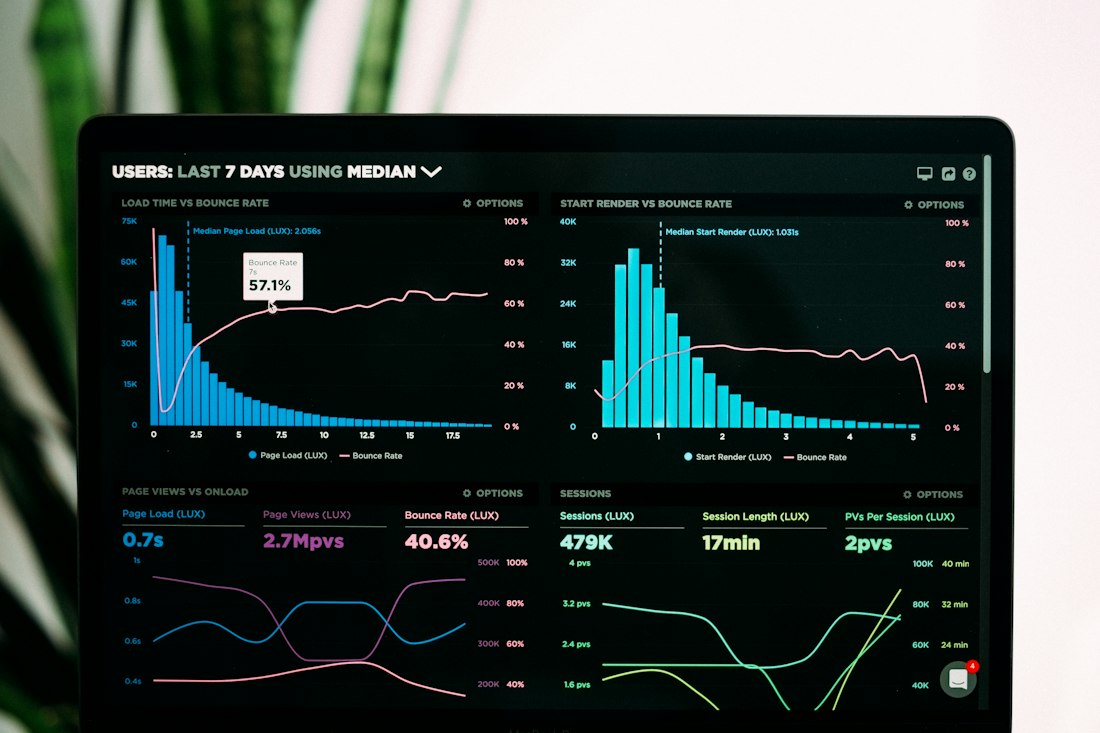
Analytics tools can now return interactive charts you filter and explore in place, rather than a static description.
Interactive Connectors
Open and manipulate a tool's data directly in the conversation — build a timeline in Asana, draft a formatted Slack message, or sketch a Figma diagram, without switching tabs.
Built on Open MCP
Not a single vendor's proprietary feature. MCP Apps extends the same open standard that already connects Claude and ChatGPT to outside tools, so it works across whichever assistant supports it.
Model Stays in the Loop
The AI still sees what happens in the interface — if you filter a chart or check a box, that state can sync back so the model can act on your choice, not just watch it happen.
Cross-Platform by Design
A tool built once as an MCP App is meant to render consistently across every supporting host — Claude, ChatGPT, VS Code — rather than needing a separate version for each.
Tools You Can Actually Use Today
Asana
Turn a chat request into an actual project, task list, or timeline you can see and edit, rather than a text description of one.
Slack (via Salesforce)
Search and retrieve Slack conversations for context, draft messages in a formatted preview, and review before posting — all without leaving the chat.
Figma
Visualize ideas as actual diagrams inside the conversation instead of asking the model to describe a layout in words.
Amplitude & Hex
Build analytics charts, then explore trends and adjust parameters interactively in place — or ask data questions and get answers complete with interactive charts and citations.
MCP Apps vs What Came Before
| Approach | What You Get Back | Cross-Platform |
|---|---|---|
| Classic MCP tool call | Text response only | Yes, wherever MCP is supported |
| ChatGPT plugin (pre-2026) | Text, formatted within OpenAI's ecosystem | No, ChatGPT only |
| MCP Apps | Live, interactive interface | Yes, across supporting hosts |
The open, cross-platform part is what separates this from a typical single-vendor feature. A developer builds the interactive interface once, and it's meant to work the same way whether you're using it inside Claude, ChatGPT, or another supporting assistant.
What MCP Apps Does and Doesn't Solve
- Cuts real tab-switching for tasks you'd otherwise leave the chat to complete
- Lets you see and adjust real data rather than trusting a text summary
- Works through connectors you may already have set up, no new install required
- Built on an open standard, so it isn't locked to one company's ecosystem
- Only tools that have specifically built MCP App support show an interface — most connectors are still text-only
- Each host implementation has its own quirks; a UI may render slightly differently between Claude and ChatGPT
- Requires the underlying connector to already be set up, which some tools still gate behind paid plans
- Newer standard, so expect rough edges and rapid changes as more developers build for it
A Real Shift, Worth Trying With Tools You Already Connect
Not a gimmick — a genuine change in what a chat window can do.
MCP Apps solves a real, specific limitation: text is a poor format for anything you need to see, filter, or manipulate, like a chart or a project timeline. If you already use a tool that's added support — Asana, Slack, Figma, or one of the others — there's no reason not to try it; it works through the same connection you likely already have. The bigger story is the open, cross-platform design, which means this is unlikely to stay a Claude-only or ChatGPT-only feature for long.
Frequently Asked Questions
Do I need to be a developer to use MCP Apps?
No. Building an MCP App requires development work, but using one doesn't. If a service you already use — Asana, Slack, Figma, and others — has added MCP App support, you'll see its interactive interface appear automatically inside your Claude or ChatGPT conversation once you've connected that tool, the same way a connector or plugin works today.
Is this the same as a ChatGPT plugin or a Claude connector?
It builds on that same idea but goes further. Plugins and connectors let an AI assistant call a tool and get text back. MCP Apps let that same tool return an actual interactive interface — a chart you can filter, a form you can fill out, a board you can drag cards across — that renders inside the chat window itself, on top of the same connection you already have.
Does every AI assistant support MCP Apps?
Not yet, but adoption has moved quickly since the January 2026 launch. Claude, ChatGPT, VS Code Insiders, and Goose all support MCP Apps as of this writing. Because it's an open standard rather than one company's feature, more AI products are expected to add support over time, and an app built for one should work across all of them with little to no extra work from the developer.
More AI Tool Guides, Written Clearly
Browse our full library of AI tool explainers, updated as features and standards change.
More from the creator
Explore two other projects from the same creator.