Best Free Open-Source Software for Everyday PC Users
Open source means more than free: it means the code is public, actively maintained by a community rather than a single company, and unlikely to disappear behind a paywall or a shutdown. Here are eight programs that genuinely replace paid office suites, photo editors, and media tools, why they've lasted as long as they have, and how to install them without picking up bundled adware along the way.
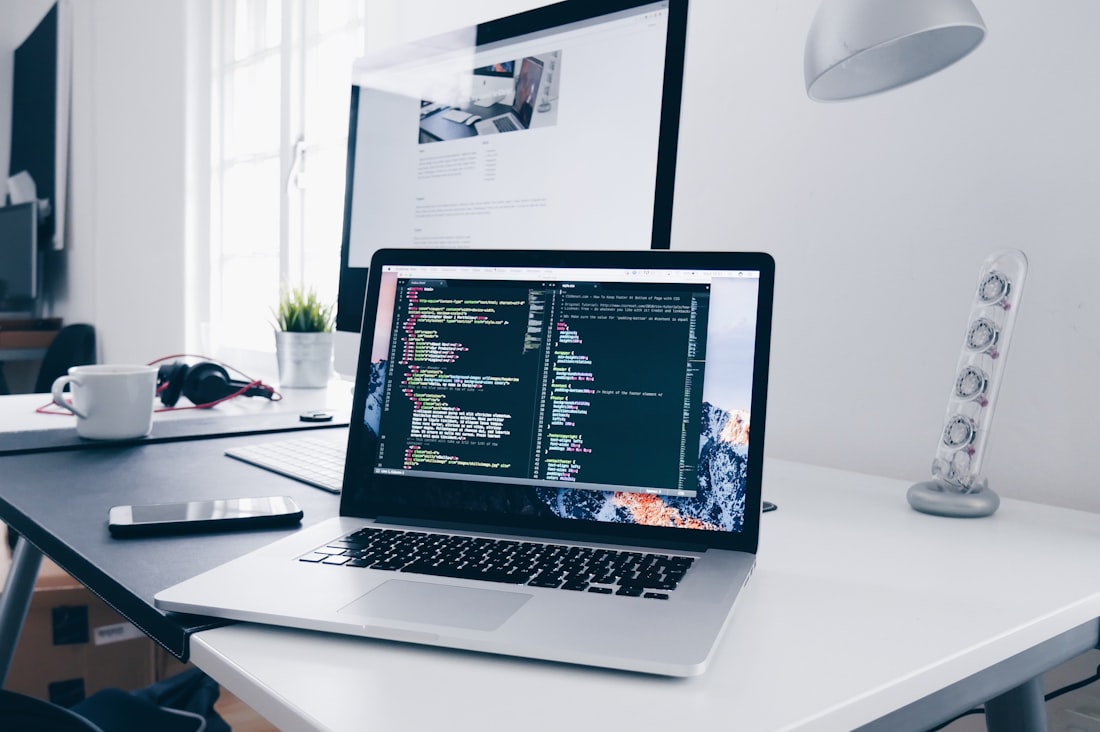
Open-source software publishes its code publicly, which is part of why several of these tools have outlasted their paid competitors.
Eight Programs That Genuinely Replace Paid Software
Open source doesn't just mean free, it means the underlying code is published publicly, which is why these tools tend to stick around for decades rather than getting discontinued or bought out. LibreOffice, GIMP, VLC, and 7-Zip in particular have been maintained continuously for over a decade and are, in daily use, close to indistinguishable from their paid equivalents for most everyday tasks. None of these require an account, a subscription, or a trial countdown.
Eight Open-Source Programs Worth Installing
LibreOffice — word processing, spreadsheets, presentations
A full office suite that opens and saves .docx, .xlsx, and .pptx files directly, so it interoperates with Microsoft Office documents without conversion. It's the most complete free alternative to Office for everyday documents, spreadsheets, and slides.
GIMP — photo editing and image manipulation
GIMP (GNU Image Manipulation Program) covers layers, masks, filters, and retouching at a level that competes with Photoshop for most non-professional use cases, with a steeper learning curve than simpler consumer photo tools.
VLC Media Player — plays almost any video or audio file
VLC plays nearly every media format without needing separate codec packs, handles damaged or incomplete files better than most players, and includes built-in format conversion and screen recording.
7-Zip — file compression and extraction
Opens and creates .zip, .rar, .7z, and most other archive formats, with a higher compression ratio in its native .7z format than the built-in Windows zip tool, and no ads or nag screens.
Audacity — audio recording and editing
A multi-track audio editor used for everything from podcast editing to voice memo cleanup, with noise reduction and effects that cover most home-recording needs without a paid DAW.
OBS Studio — screen recording and live streaming
The tool most streamers and screen-recording tutorial creators actually use, free and open source, with scene switching, multi-source capture, and streaming to any platform, not locked to one service.
Thunderbird — email client
A full desktop email client supporting multiple accounts, filters, and add-ons, maintained by the same foundation behind Firefox, and a genuine alternative to paid email client software.
KeePassXC — password manager
Stores passwords in a locally encrypted database you control, rather than a cloud account, which some people prefer specifically because it removes a third-party server from the equation entirely.
Open Source Isn't the Same as "Freeware"
The source code is public, so anyone can audit it
Unlike closed freeware, open-source code can be inspected by anyone, including security researchers, which makes hidden data collection or malware far harder to sneak in unnoticed over the long run.
Development doesn't depend on one company's survival
Closed-source freeware often disappears when its company pivots, gets acquired, or shuts down. Open-source projects can be picked up by other contributors even if the original maintainer moves on, which is part of why LibreOffice, GIMP, and VLC have all outlasted several proprietary competitors.
No feature gates hidden behind a future paywall
Because there's no company deciding which features to hold back for a premium tier, most of these tools ship their full functionality for free from the start, rather than the freemium model common in commercial software.
The tradeoff is usually polish and support, not capability
Open-source interfaces are sometimes less refined than commercial equivalents, and support comes from community forums rather than a help desk. For most everyday users, that tradeoff is a fair one given the cost difference.
Downloading directly from a project's official site, rather than a third-party download aggregator, is the safest way to get open-source software.
Getting the Real Version, Not a Bundled Copy
Open-source software's biggest practical risk isn't the software itself, it's third-party download sites that repackage the real installer with bundled adware or toolbars. Always download from the project's own official site: libreoffice.org, gimp.org, videolan.org for VLC, and so on, rather than a generic "download.com"-style aggregator, even if it appears first in a search result. Official sites also make it easy to verify you're getting the current, actively maintained version rather than an outdated one with unpatched security issues.
Where These Tools Still Fall Short
GIMP's interface is genuinely harder to learn than consumer tools like Canva or even Photoshop, and complex layered documents built in Photoshop don't always convert perfectly if you switch. LibreOffice's formatting can occasionally shift slightly when opening a heavily formatted Word document with complex tables or embedded objects, so it's worth a quick check on important files before assuming a perfect match. None of these are dealbreakers for most everyday use, but they're worth knowing upfront rather than discovering mid-project.
Support is the other tradeoff. There's no phone line or live chat for any of these tools; help comes from community forums, official documentation, and user wikis. For common problems, that's usually enough, these are widely used programs with large, active communities, but for a highly specific or unusual issue, the response time and quality can vary more than with paid software's dedicated support.
Downloading directly from a project's official site, rather than a third-party download aggregator, is the safest way to get open-source software.
Bottom Line
Open-source software has matured to the point that most everyday PC users can replace a real amount of paid software with zero ongoing cost and no meaningful drop in capability. LibreOffice, GIMP, VLC, and 7-Zip cover the tasks most people do daily, and Audacity, OBS Studio, Thunderbird, and KeePassXC round out audio, streaming, email, and passwords. The only real risk is downloading from the wrong source, so always go to the project's official site directly.
More Guides, Written Clearly
Browse our full library of guides, updated regularly as tools and information change.
Common Questions
Is open-source software actually safe to use?
Generally yes, and often safer than closed freeware, since the code is public and can be audited by anyone, including independent security researchers. The main risk isn't the software itself but downloading it from an unofficial third-party site that bundles it with adware.
Is LibreOffice compatible with Microsoft Word and Excel files?
Yes. LibreOffice opens and saves .docx, .xlsx, and .pptx files natively, so documents created in Microsoft Office generally open correctly without a separate conversion step.
What's the difference between open source and freeware?
Freeware is free to use but its code is typically closed and controlled by one company, which can disappear if that company shuts down. Open-source software publishes its code publicly, so development can continue even if the original creator moves on.
Which open-source program should I install first?
7-Zip and VLC are the easiest starting points for most people, since they replace software almost everyone uses regularly (file compression and media playback) with an immediate, low-friction upgrade.
More from the creator
Explore two other projects from the same creator.