AI Wearables Without Screens Explained: Why Audio Could Become the Next Interface
The smartphone made the screen the center of digital life. A new wave of AI wearables is betting the next interface has no screen at all: you talk, it answers in your ear, and your eyes stay where they were. Earbuds, pendants, rings, and audio-only glasses are all versions of that bet. This guide explains why audio might work, where it fails, and how to judge a screenless device.
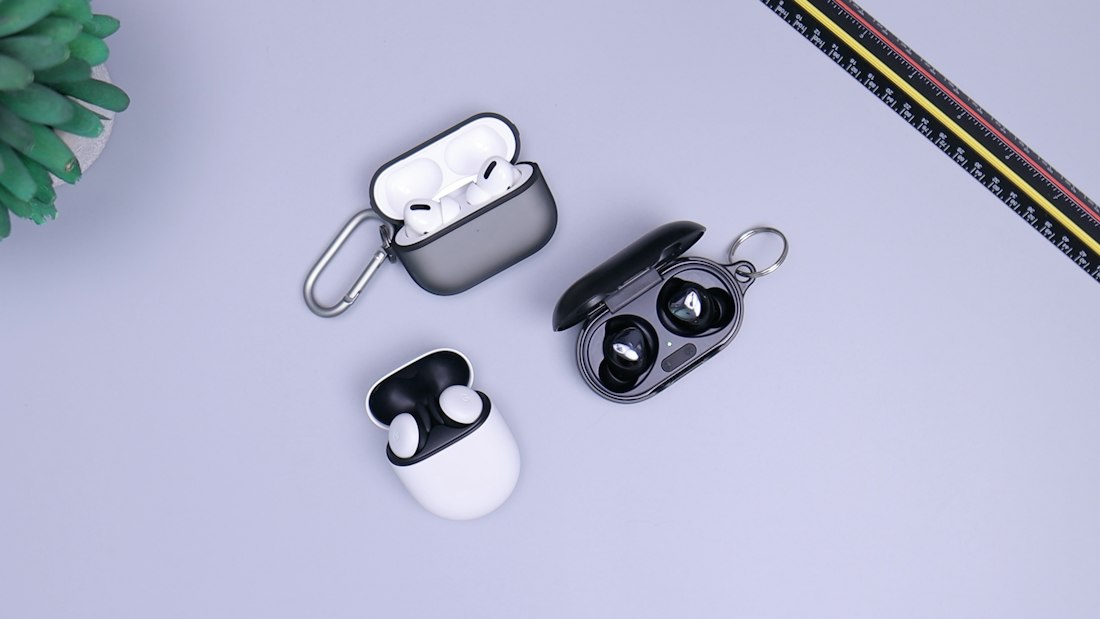
Audio is the interface that fits around your life instead of demanding your eyes.
What Are Screenless AI Wearables?
Screenless AI wearables are devices you wear or carry that let you interact with AI mainly through voice and sound, with no display or only a tiny one. That includes earbuds with an assistant, pendants and clip-ons that listen and remember, audio-only smart glasses, and rings that pair with a phone. You speak, it responds in your ear, and sometimes it sends a summary to your phone.
The idea is not new, but recent progress makes it more plausible. Speech recognition is far more accurate, voices are more natural, and assistants can hold real conversations. Apple’s Siri AI, for instance, offers more expressive voices with adjustable pace and expressiveness and dictation designed to handle punctuation and capitalization as you speak. When the voice sounds human and the assistant actually understands, talking becomes less of a chore.
Whether it should replace screens is a different question. We think audio wins for some tasks and loses badly for others, which we explain below. For the broader device debate, see dedicated AI devices versus smartphones.
Why Might Audio Become the Next Interface?

Better speech models make voice conversations feel closer to natural talk.
Eyes and hands stay free
You can cook, walk, drive, or work with your hands and still get help.
Less screen time
An assistant that speaks avoids the pull of a screen full of notifications.
Faster for short exchanges
A quick question and a one-sentence answer is faster to say than to type and read.
Accessibility gains
Audio can help people who cannot easily use a touchscreen or read a display, and features like Apple’s Sound Recognition alert deaf or hard-of-hearing users to sirens, alarms, or a crying baby.
Always available
Earbuds and pendants are already on your body, so help is one sentence away.
That last point is the strategic one. Whoever owns the always-available layer, whether it is a phone maker, a glasses maker, or an AI lab, controls a lot of daily attention. It is why OpenAI has said it expects to unveil its first hardware device in the second half of 2026, though it has not confirmed a form factor and reports about earbuds remain rumors.
Why Do Better Voices Change the Equation?
A flat, robotic voice makes long conversations tiring, and it undermines trust. Apple says Siri AI offers more expressive voices and lets you adjust their expressiveness and pace, and pairs them with dictation that handles capitalization and punctuation automatically. Those features rely on its most advanced on-device model, which only some hardware supports.
Voice quality matters for a practical reason: if listening feels natural, you tolerate longer answers and use the assistant more. If it feels grating, you reach for the screen. The improvement is not flashy, but it is what makes an audio-first device viable for more than a minute at a time. See why only some iPhones get those voices for the hardware angle.
What Are the Weaknesses of a Screenless Interface?
| Problem | Why audio struggles |
|---|---|
| Comparing options | Hearing five choices read aloud is slower and harder than glancing at a list |
| Detail and precision | Numbers, addresses, and long instructions are hard to retain by ear |
| Verification | With no screen you cannot easily check what the assistant is about to do |
| Public use | Talking to your device in a quiet room or on a train is awkward and non-private |
| Noise | Loud environments confuse both microphones and listeners |
| Ambiguity | Without a visual confirmation it is hard to tell whether the device understood you |
The verification problem is the most serious. A screen lets you see and correct before an action happens. An audio-only assistant that books, buys, or sends needs a very clear confirmation habit, an issue we explore for agents in our guide to agent permissions.
Which Tasks Suit Audio and Which Need a Screen?

Watches are a bridge: a tiny screen with strong audio and sensing.
- Quick questions and simple facts
- Hands-busy tasks like cooking or driving
- Reminders and short messages
- Live translation and “what did I miss” recaps
- Comparing products or prices
- Reading long documents or maps
- Entering or checking sensitive information
- Anything you need to review before confirming
This split is why the most sensible products pair audio with a phone. The wearable handles the moment, and the phone holds the detail. Apple’s planned Watch features follow that logic: Live Rewind shows the last 15 seconds of a conversation as text, and Siri Recap saves a short summary to the Siri app on your iPhone for later review.
What Does a Listening Wearable Cost in Privacy?
Any device that listens for you also listens near you. That raises two privacy questions: what happens to your own data, and what happens to the people around you who never agreed to be recorded. Apple describes its Audio Intelligence design as opt-in, with no stored recordings, no speaker identification, a chime when Live Rewind is used, and end-to-end encryption for saved snippets and summaries. Other memory wearables record and summarize more freely.
Legal exposure is real, too. Roughly a dozen US states require all-party consent to record private conversations, and courts and venues are banning devices with microphones. Before you adopt a listening wearable, read our full analysis in the always-on microphones guide.
What Makes a Good Audio Interface?
Confirm before acting
Repeat back anything that costs money or sends a message, and wait for a clear yes.
Keep answers short
Long spoken answers are hard to follow. Offer to send details to the phone.
Allow interruptions
People should be able to cut in, correct, or stop the assistant without ceremony.
Work quietly
Support low-volume or whisper modes and text fallbacks for public places.
Fail gracefully offline
Basic functions should still work without a connection, as we explain in on-device versus cloud AI.
If a product ignores these rules, that is a design warning. The best audio products treat the phone as a partner and the voice as one channel among several, rather than trying to replace everything at once.
Which Screenless Options Exist Today?
Earbuds and headphones
Already common, and increasingly tied to assistants. The lowest-friction way to try audio AI.
Smartwatches
Not fully screenless, but built around glances and voice, with strong audio features arriving on Apple Watch later this year.
Audio smart glasses
Frames with microphones and speakers, such as Amazon’s Echo Frames. See our camera-free glasses guide for the display-based alternative.
Pendants and recorders
Devices that remember conversations. Big companies are buying in, but privacy questions are sharpest here.
If you want to experiment safely, start with earbuds or a watch you already own and try voice for short tasks. Keep your phone for anything that needs a screen. Audio is at its best as a complement, and the best test of any new device is whether it does something you genuinely could not do before.
What Could Go Wrong With Audio-First Devices?
The first risk is over-trust. A confident voice sounds authoritative even when it is wrong, and without a screen it is harder to check. The second is social friction: speaking to a device in shared spaces can annoy people, and always-listening features can unsettle them. The third is dependency on a company. Humane’s AI Pin was shut down in early 2025 and customers lost the service, a reminder that a device tied to servers can stop working.
A fourth risk is battery and connectivity. Always-on microphones and cloud calls drain small batteries quickly, and many features fail with a poor signal. Ask before buying what works offline, what the ongoing costs are, and what happens if the company disappears. Good answers to those questions are a sign of a mature product.
How Can You Try Audio AI Without Buying Anything New?
You probably already own the hardware. Try dictating messages instead of typing them, ask your phone assistant for quick facts while your hands are busy, and use earbuds for short voice queries on a walk. Notice which tasks feel faster and which make you reach for the screen. That personal test is a better guide to whether a screenless device is worth buying than any keynote.
Frequently Asked Questions
What is a screenless AI wearable?
It is a device you wear that lets you interact with AI mainly by voice and sound, with no display or only a very small one. Examples include earbuds, pendants, rings, and audio-only glasses.
Will audio replace the smartphone screen?
Unlikely. Audio suits short, hands-busy tasks, but screens remain better for comparing options, reading detail, and verifying actions. Audio wearables work best alongside a phone.
Is OpenAI making a screenless device?
OpenAI has said it expects to unveil its first hardware device in the second half of 2026, but it has not confirmed what it will be. Reports about earbuds are unconfirmed rumors.
Are listening wearables private?
It depends on the design. Apple says its Watch audio features do not store recordings and do not identify speakers, while other recorders store more. Recording laws also vary by location.
More AI Tool Guides, Written Clearly
Browse our full library of AI explainers, updated as the tools and hardware change.
More from the creator
Explore two other projects from the same creator.